
MORPHOTO · AI PHOTO EDITING
Your style. Less effort.
Start with an edited photo you love. Morphoto recognizes its style and brings that look to your next photo.
Sign in to get started.先登录,即可开始修图。
New account: 5 welcome points. Standard edits: 2 points each. Use your existing App balance.新账号赠送 5 积分,普通修图每次 2 积分;已有账号共用 App 积分余额。

Start with a look you love.
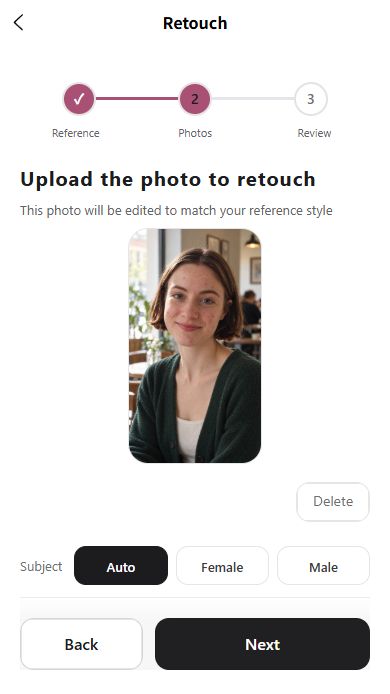
Choose a new photo to retouch.

Compare. Refine. Make it yours.
Actual Morphoto result with a fictional AI-created subject. App walkthrough shown; interface may vary.
BUILT AROUND YOUR STYLE
Your edit. From start to finish.
From the look you love to a photo you want to keep.
01 / 03
It starts with
a photo you love.
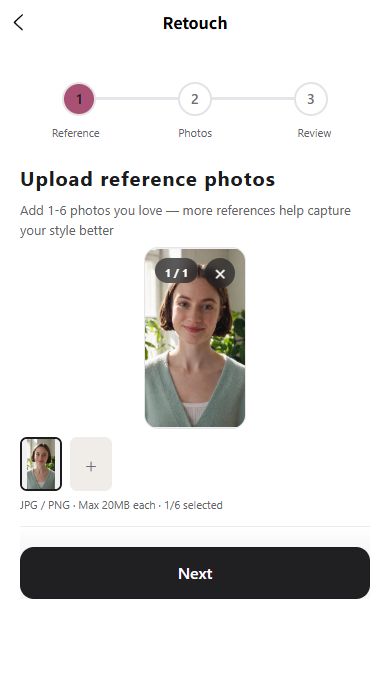
Upload a photo you’ve already edited. Morphoto uses its light, tone and overall look as a reference for your next edit.
- Your own edited photo is the reference.
- No need to rebuild the look with sliders.
YOU KEEP THE FINAL SAY
Take a closer look.
Compare with your original. Refine again when you want another adjustment.
THE STYLE REFERENCEYour reference.
Your direction.
This example starts with a window-lit portrait and a new café photo. Switch views to see the original and Morphoto’s actual output.
Fictional AI-created subject. Result shown without additional retouching. Appearance and framing can vary by photo; the views are not a pixel-aligned overlay.
YOUR FIRST EDIT, EXPLAINED
From reference
to ready to save.
See the full process in Morphoto, from uploading your style reference to comparing and saving the result.
A few useful details.
What do I upload first?
Select Start editing and sign in. Choose the original you want to edit, then add a style reference. The editor’s step-by-step guide takes you through the rest.
Can I adjust the result?
Yes. Compare the result with the original, then choose to refine again or save. Check the points cost before confirming another edit.
How do points and membership work?
Morphoto offers points purchases and membership options. Web and App share your account and points. Review the server-confirmed total before each edit. Your existing balance works on the web; more features are available in the App from the top menu.
How are my photos used?
The photos you select for editing are sent to the service for processing. Storage and deletion are explained in our privacy policy. Optional advertising measurement is controlled separately in the app.
Read the privacy policy
Less time editing.
More time living.
Your photos. Your own style. Your photo buddy.
Edit on the web. Use your existing App account and points.在网页直接修图,与 App 共用账号和积分。